| |
Calendar
Wallpaper
|
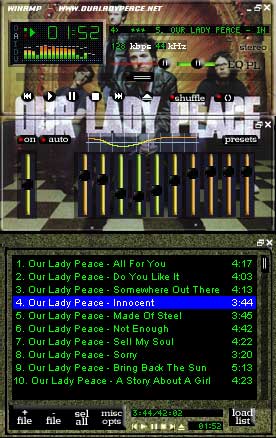
Winamp Skin
 |
Click here to download.
Installation
If you don't already have Winamp, you can get it here.
Click the link above and save it to your computer.
When the Computer asks you where do you want to download the file, select the skin folder you want.(it is usually found at C:/program files/winamp)
The skin is now saved to your computer.
To view the skin
Open Winamp
Press Alt+S and the skin browser will open.
Choose olp_winamp from the list that appears there.
If you do not see the OLP skin, you have download it to a directory other than the winamp skin directory.
|
|
AOL Buddy Icons
Click the buddy icon to add it to your AOL instant messenger.
 |
 |
|
 |
 |
MAC Users
Control-click and save the image to any file or folder you wish.
Click on the "My AIM" menu and choose "edit options" then "edit preferences." A new window will open. Choose "Buddy Icons" on the left. Then choose browse and find the location of the icon.
|
|
|